
Doc Assembler
documents assembled into one manual
to a finished manual, once the library is populated
outdated-version errors
less time spent creating documentation
The Problem
New client. New project. New manual to put together.
Except you're not building it from scratch - you're building it from dozens of existing documents scattered across folders. The manual for this unit. The spec for that one. The warranty sheet. The safety notes.
You open the first Word file. Copy. Paste. The formatting falls apart. You fix it. You open the next one. Again. And again, 50+ times on a bigger project.
Then the numbering. Then the table of contents you rebuild by hand because the page numbers shifted. Then the cover page. Then checking that every document looks the same - because it doesn't.
Half a shift. 4 to 6 hours. For one manual.
And then someone asks: "Did you use the latest version of those instructions?"
And you're not sure.
The Hidden Cost
Time is the obvious cost. The real damage is what you don't see until it's too late.
You're sending an outdated version. Someone updated the unit's instructions last month. You don't know that. You copy the version sitting on your drive and send it to the client. Now they're holding a document with wrong information - and your name is on it.
Every document looks different. Different fonts, different numbering, cover pages that don't match. Merge them into one manual and it's obvious it was stitched together from ten sources - and the client is the one holding it.
The knowledge lives in people's heads, not in a system. Only one person knows which documents go into which manual and which version is the right one. When they take time off - or leave for good - that work stops.
This isn't abstract. Every wrong document that goes out is a risk to your reputation and your warranty - a cost that never shows up on an invoice, but you pay it anyway.
The Solution
So we took manual assembly out of the picture.
All your content lives in one place - a library. You write each piece once: the instructions, the spec, the warranty. Organized, always available.
When you need a new manual, you don't open ten Word files. You open the library, pick the documents that belong in this project, drag them into the order you want, and click generate.
The system merges everything into one professionally formatted .docx - with a cover page, table of contents, and numbering.
What used to take half a shift is done before your coffee is ready.
You don't assemble documents by hand anymore. You pick them.
A Library That's Always Right
Your company's entire content in one place, organized the way you work - folders, subfolders, documents. No more random files scattered across a dozen computers.
And every document remembers its history. When you change something, the old version isn't erased - it stays on record. The published version is locked, so anyone assembling a manual uses exactly the content that was approved. Not whatever someone happened to have on their drive.
No more "is this the latest version?" The system knows the answer.
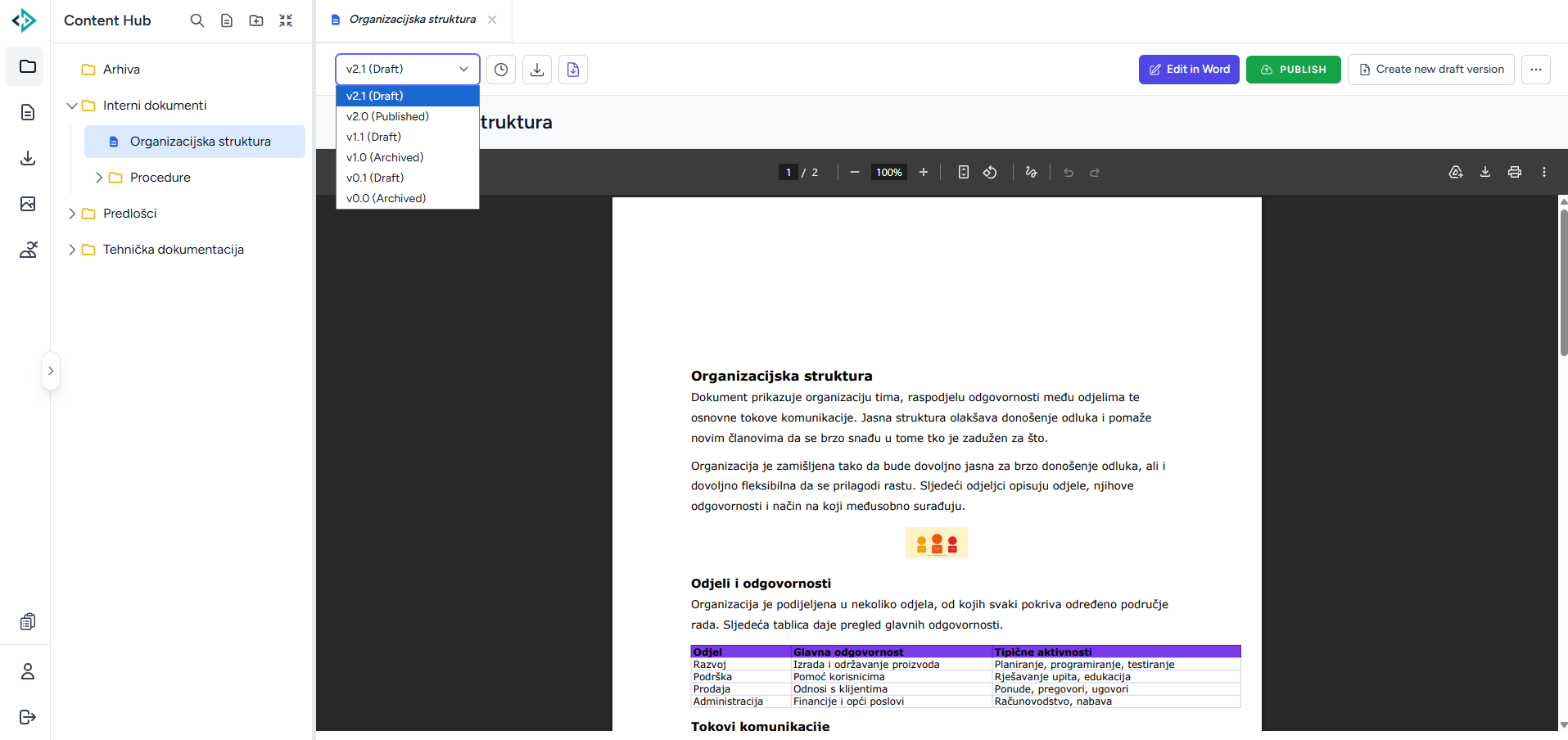
Assembled in a Few Clicks
You pick the documents. You drag them into whatever order you want. You click generate. That's it.
The same manual for another client? Swap a few items and generate again. Minutes, not hours.
And the system isn't tied to one kind of document. Technical instructions for one project, a quote for another, a spec for a third - same tool, different needs. Each type gets its own look.
The hard part - getting the content in - you do once. After that, every new manual is just a selection.
What Comes Out
You don't get a pile of pasted-together documents. You get one document that looks like a professional made it.
- A cover page with project and client details
- An automatic table of contents with accurate page numbers
- Chapter numbering that builds itself (1, 1.1, 1.2...)
- Each chapter starts on a new page - or flows straight on, your call
- Consistent formatting throughout - no matter how many sources it was built from
You can also attach external PDF files alongside the Word document.
The client gets a document that makes an impression. You spent zero minutes on formatting.
This is how this client wanted their documentation to look. The next one wants it different - and gets exactly what they want. We build the app to fit you, not a template.
The Results
Here's what changes:
- 50+ documents assembled into one manual - with no manual copy-paste
- Building a manual: from 4 to 6 hours to a few minutes, once the library is populated
- Zero outdated-version documents sent to a client
- Cover page, table of contents, and numbering - automatic, not by hand
- Consistent formatting in every document, every time
- Content written once, reused on every future project
Your team stops being a copy-paste machine. It starts working on content, not formatting.
And that time you got back? Put it into what actually matters - better documentation, faster delivery to clients, and a process that doesn't stop when one person goes on vacation.
Gallery
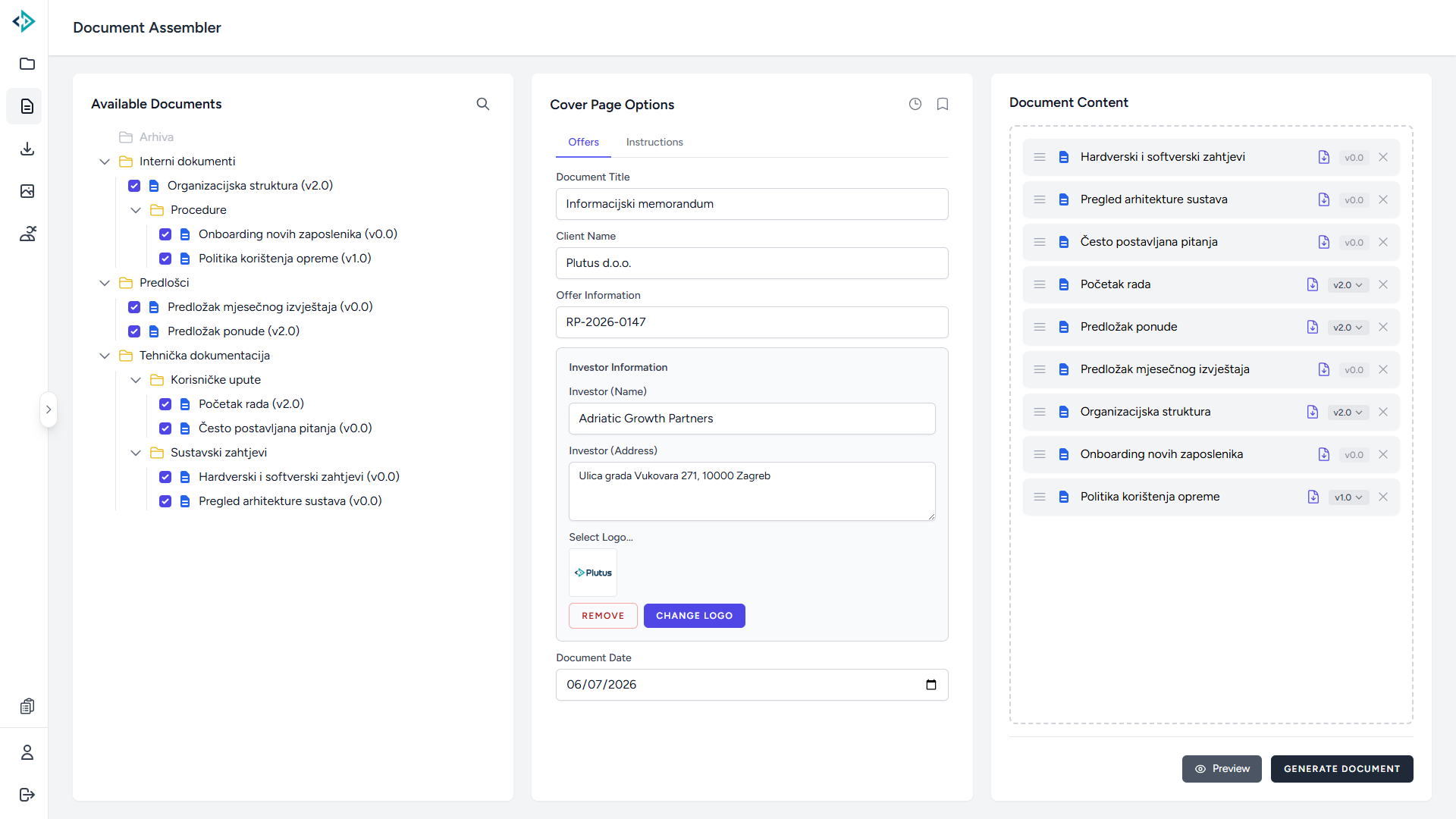
The Document Assembler - selecting documents from the tree, cover page options, and content order
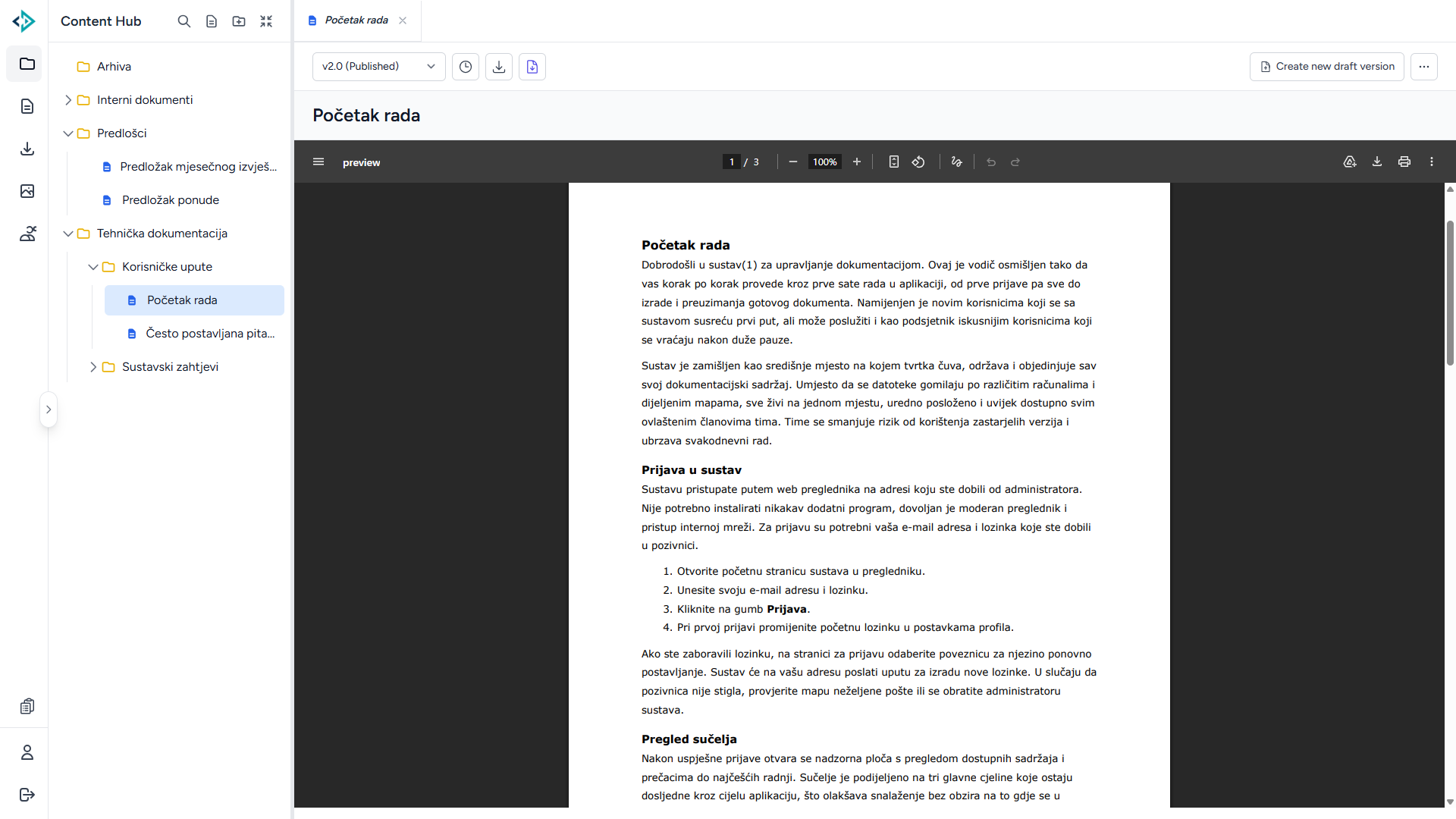
A published document in the library viewer - clean, formatted content
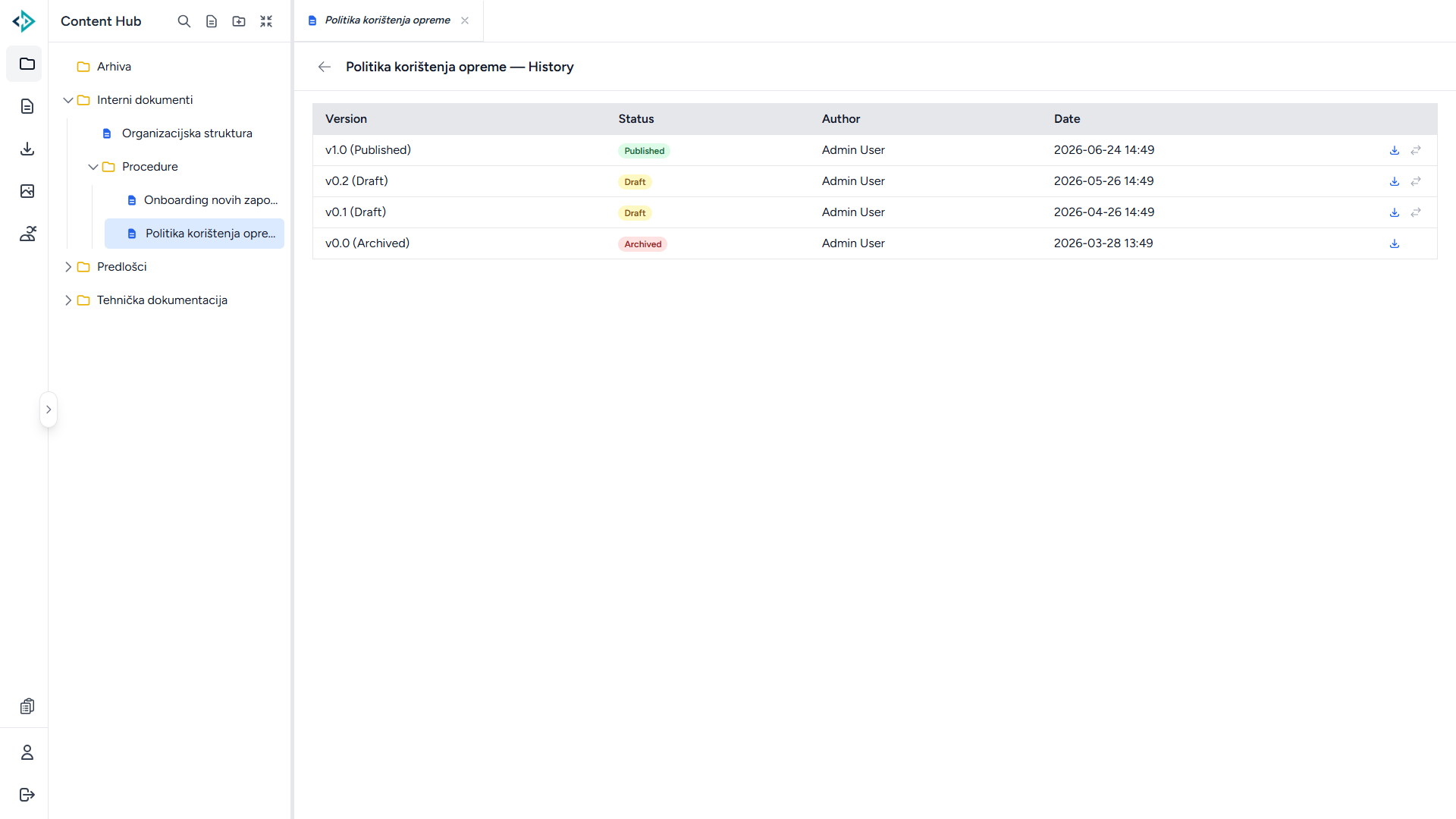
A document's version history - every change recorded and traceable
Tech Stack
Need something like this?
Let us show you the real growth opportunities for your business.
SCHEDULE A CALL